
Governance
10.1 Overview
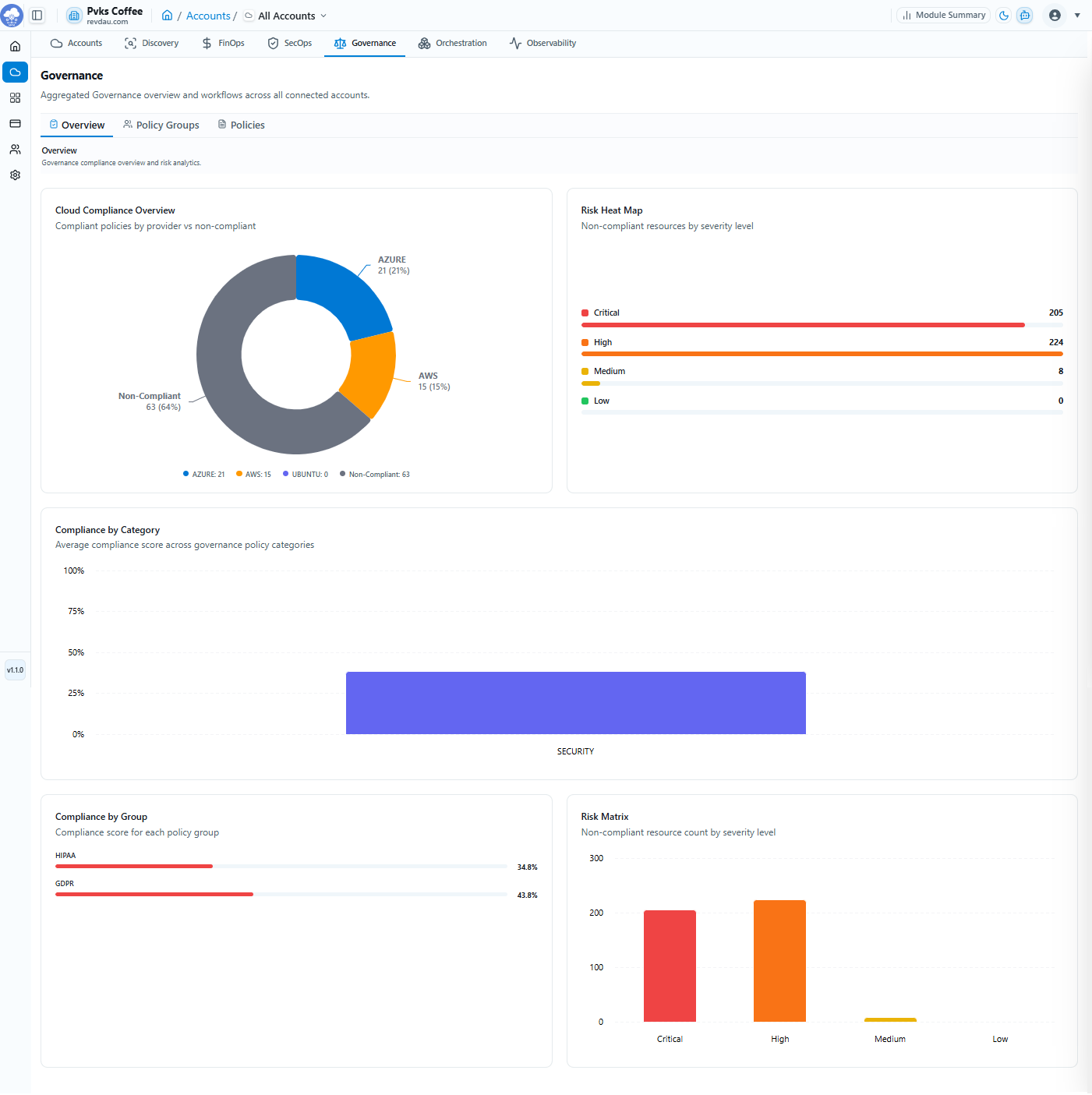
Governance enables policy-driven compliance enforcement with aggregated workflows across all connected accounts.
| Governance Dashboard Metrics |
|---|
| Cloud Compliance Overview — Compliant vs non-compliant policies by provider |
| Risk Heat Map — Non-compliant resources by severity level |
| Compliance by Category — Average compliance score across policy categories |
| Compliance by Group — Compliance score for each policy group |
| Risk Matrix — Non-compliant resource count by severity level |
10.2 Policy Groups
System-created policy groups available on the platform:
-
GDPR Pack — Prebuilt GDPR controls
-
HIPAA Pack — Healthcare compliance controls
-
SOC2 Pack — SOC2 compliance controls
-
NIST
-
ISO
-
CIS Benchmark
Policy Group tab has some cards with specific values like –
-
Total Groups – Organization-wide policy groups
-
Active – All active groups
-
Inactive – Not evaluated
-
Average Compliance – Across all groups
Policy Groups tab attributes: Group Name, Description, Policies, Compliance, Status, Created By. Export available list of policy groups as CSV, Excel, or PDF. Here you can search the policy group by its name, also apply filter of status, Created By.
10.3 Policies
Individual governance policies by type:
-
Cloud Policies — Powered by Cloud Custodian
-
Host Policies — Powered by Shell Scripts
10.4 Policy Lifecycle
| Stage | Action |
|---|---|
| 1 | Create Policy |
| 2 | Configure Schedule |
| 3 | Execute Policy |
| 4 | Review Results |
| 5 | Remediate Findings |
Create a Policy Group
Step 1 Go to Policy Groups and click + Create Group.
Step 2 Enter Group Name.
Step 3 Enter Description (Optional).
Step 4 Toggle Policy Status: Active or Inactive.
Step 5 Click Next, review details, then click Create Group.
Create a Policy
Step 1 General — Choose policy type, name, and assign a group.
Step 2 Definition — Write the policy YAML or host shell script.
Step 3 Review — Configure schedule and review before saving.
10.5 Settings
Governance module settings are account-specific. You can enable or disable the module for a selected account to pause policy checks.