Enterprise User Guide
v1.1 is unreleased — see v1.0 for the current stable release.
Provider Category
The application currently supports the following cloud accounts:
| Supported Cloud Providers |
|---|
| AWS |
| Azure |
| Supported Integrations |
|---|
| GitHub |
| Docker Hub |
| Docker |
| Supported Hosts |
|---|
| Ubuntu |
4.1 Initial Setup — Onboard Cloud Account
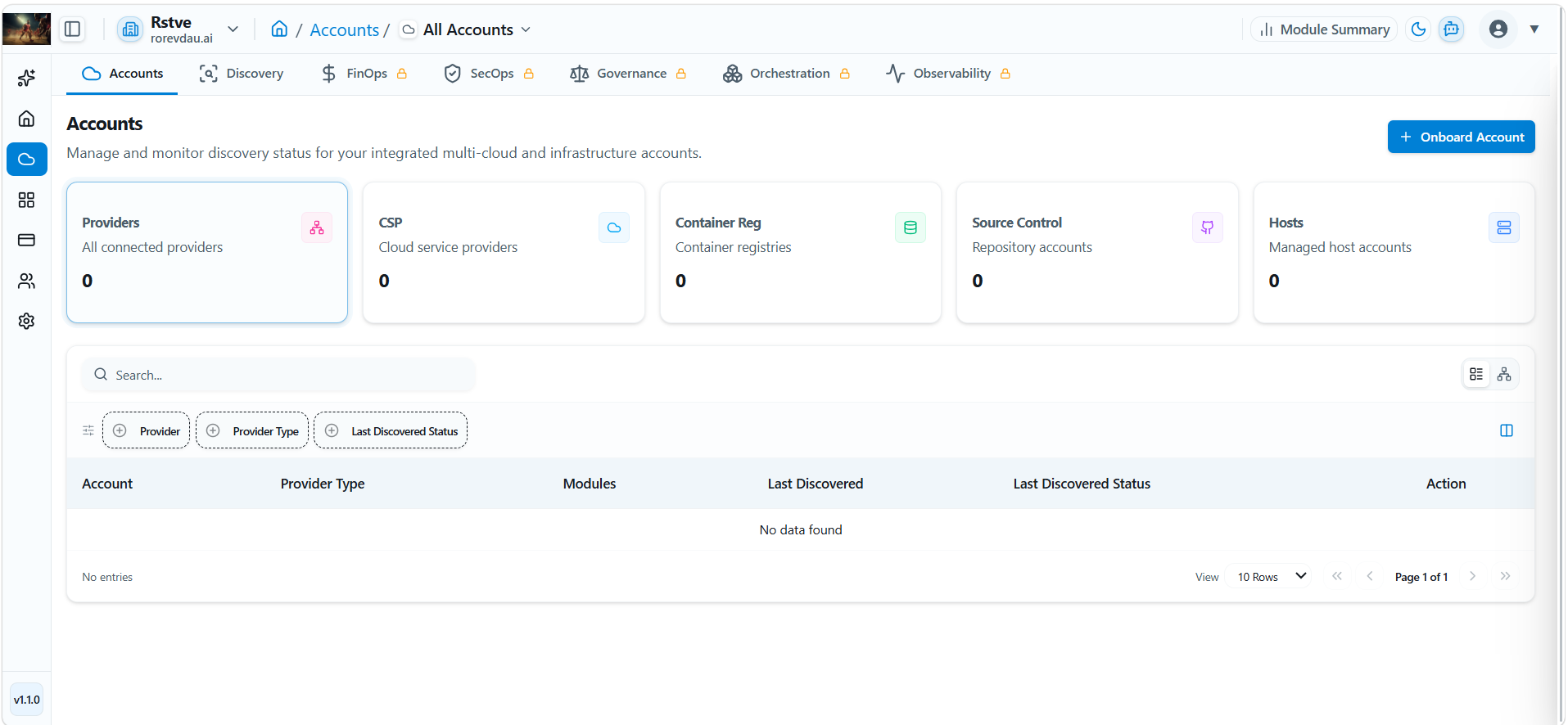
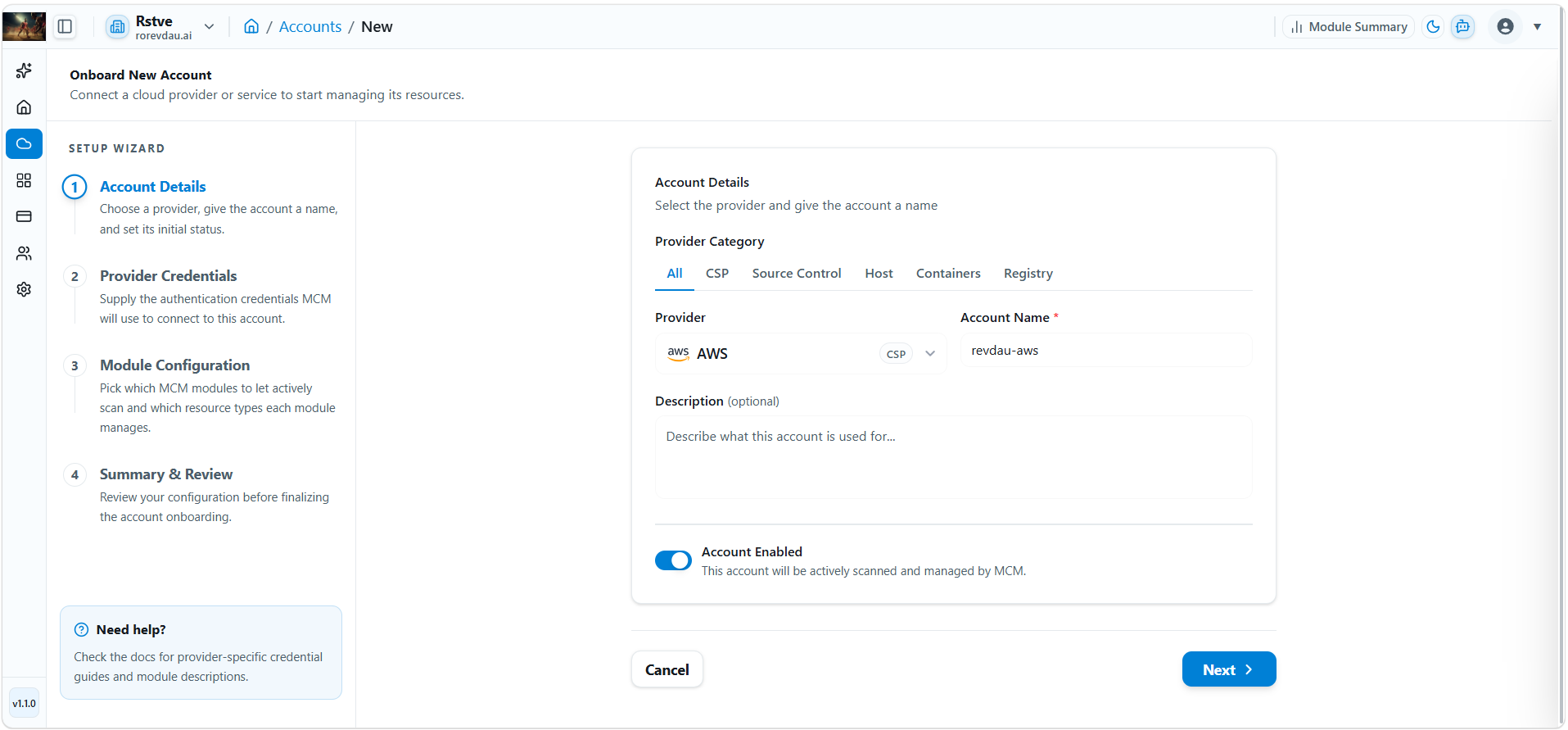
Step 1 — Account Details
Step 1 Click Onboard Account.
Step 2 Select Provider Category from the list.
Step 3 Enter Account Name.
Step 4 Write Description (Optional).
Step 5 Toggle Account status: Active or Inactive.
Step 6 Click Next.
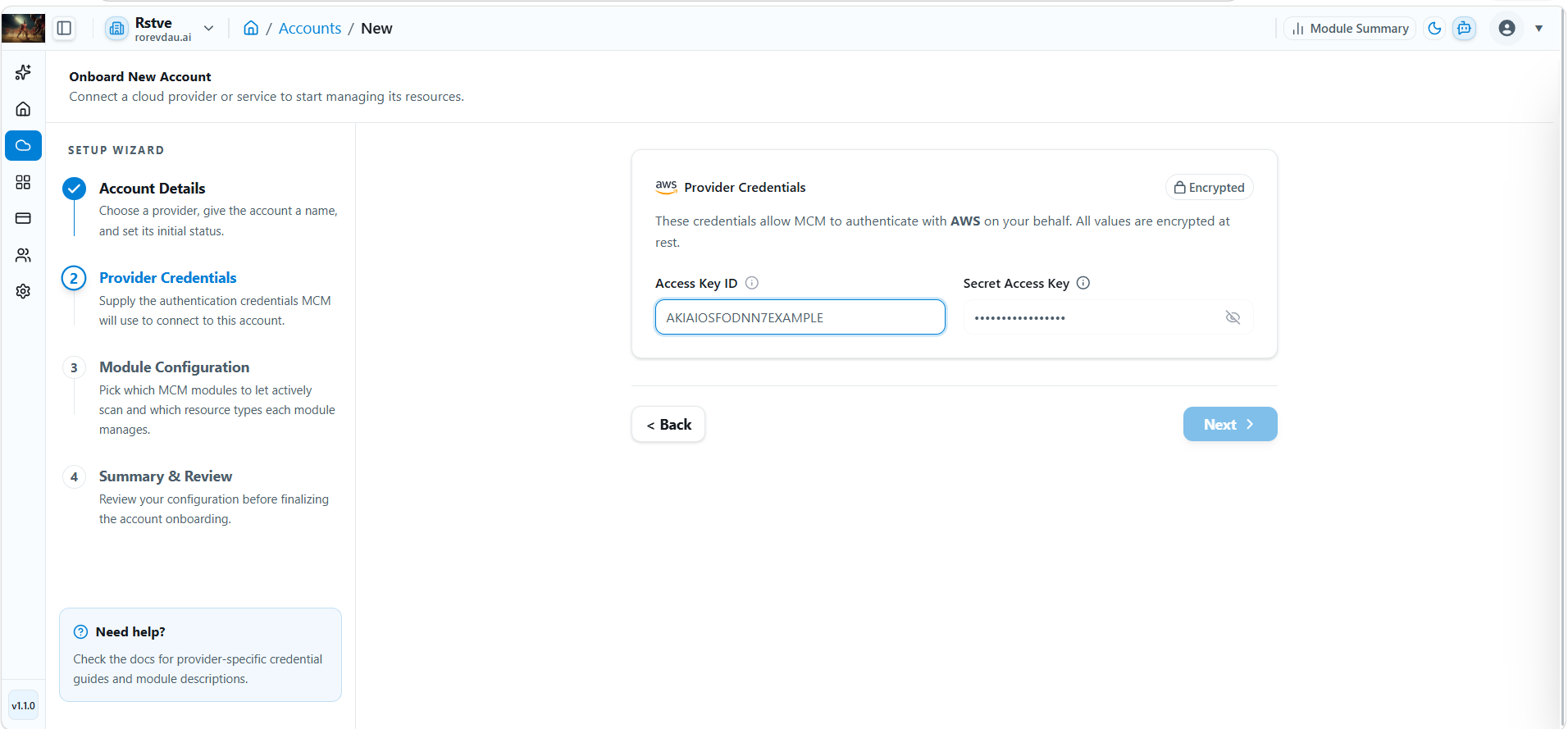
Step 2 — Provider Credentials (AWS Example)
Step 1 Enter Access Key ID.
Step 2 Enter Secret Access Key.
Step 3 Click Next.
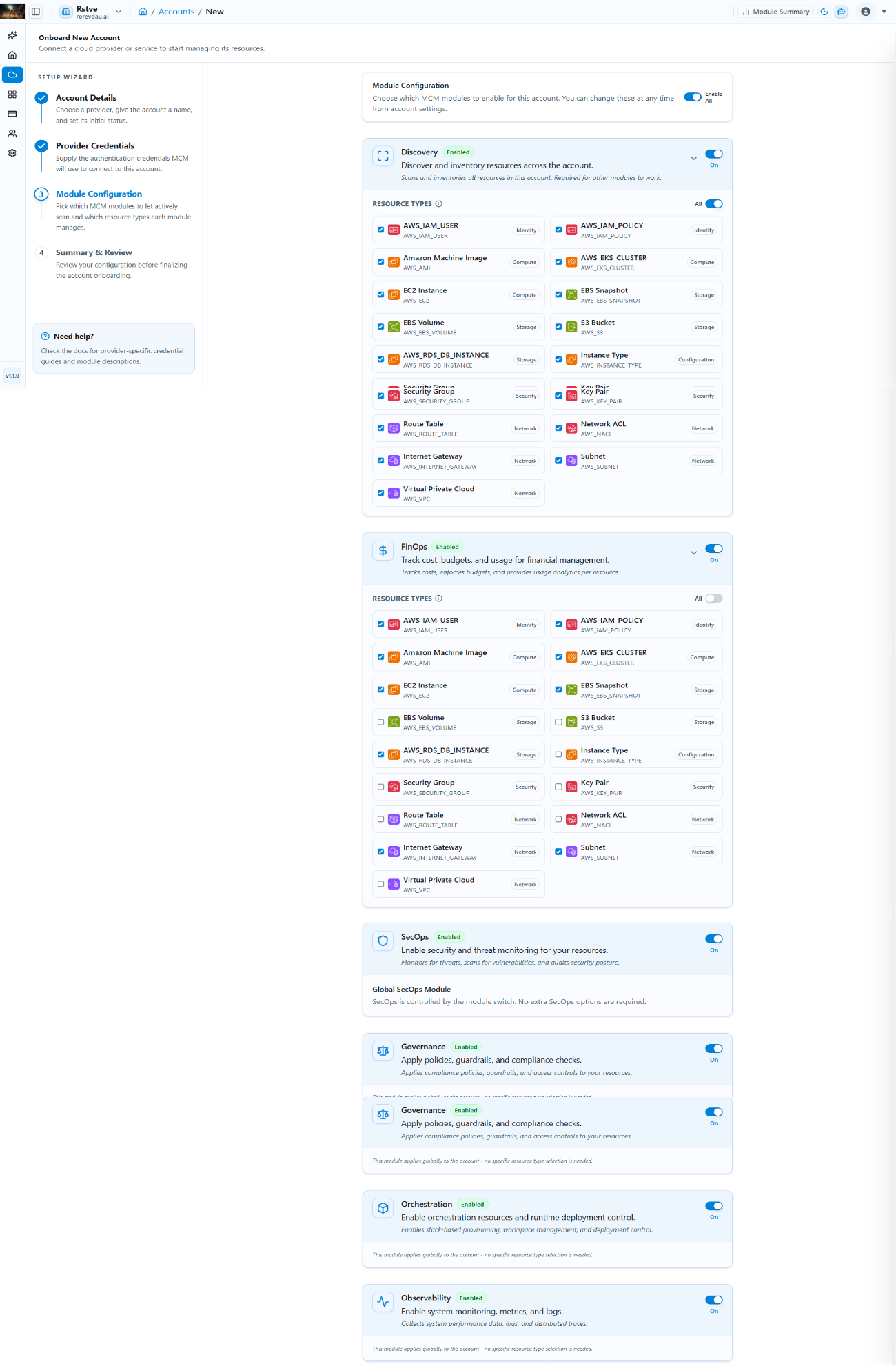
Step 3 — Module Configuration
Step 1 Select modules as per your requirements. Enable all at once using the first toggle, or add them individually.
Step 2 Click Next.
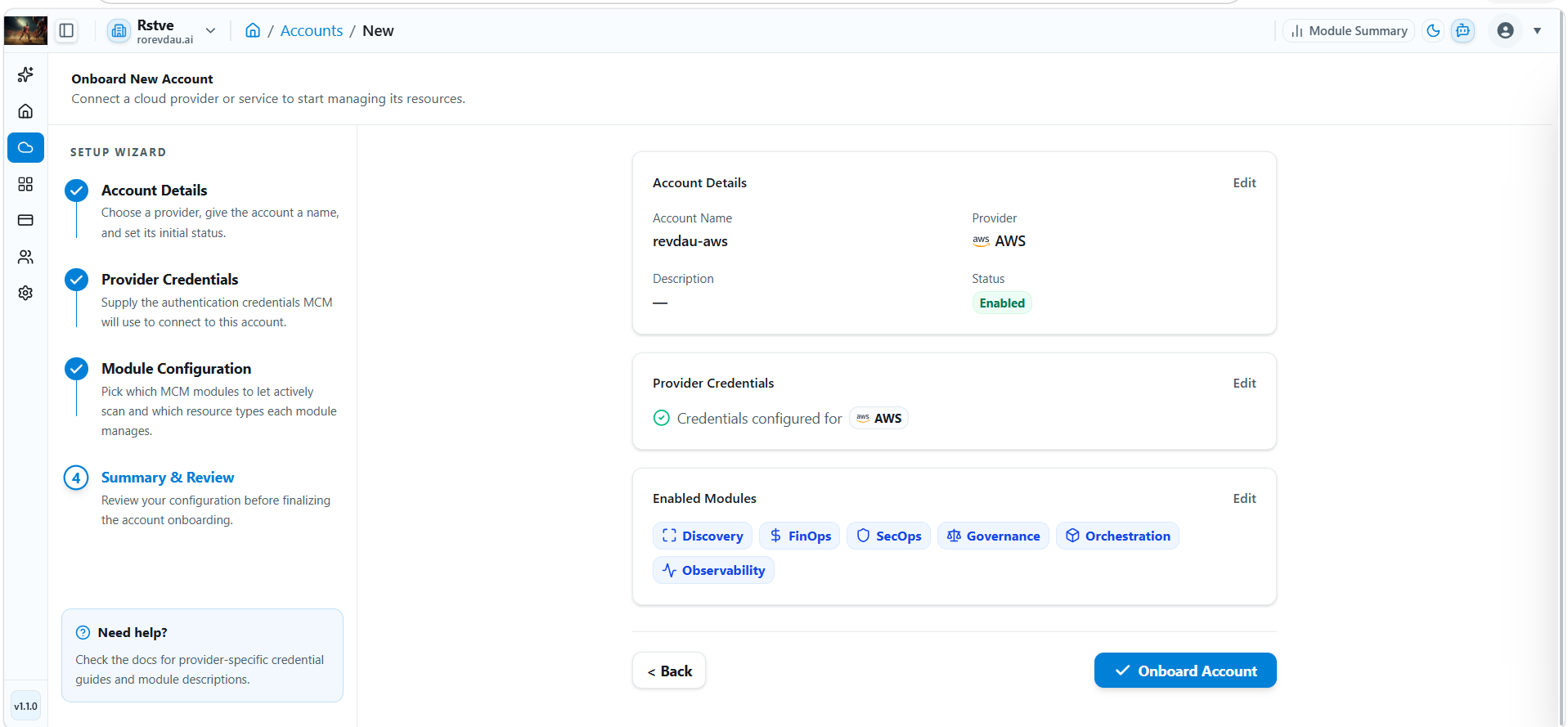
Step 4 — Summary & Review
Review all configuration details. Click Edit to make changes, or click Onboard to complete setup. The new cloud account will appear in the Accounts table.