MSP User Guide
Billing Management
The Billing module provides two primary tabs:
- Billing Plan
- Billing Request
8.1 Billing Plan
Before adding a new Enterprise, a Billing Plan must be created and available for assignment.
Create and manage pricing plans, then assign them to modules.
Steps to Create a Billing Plan
-
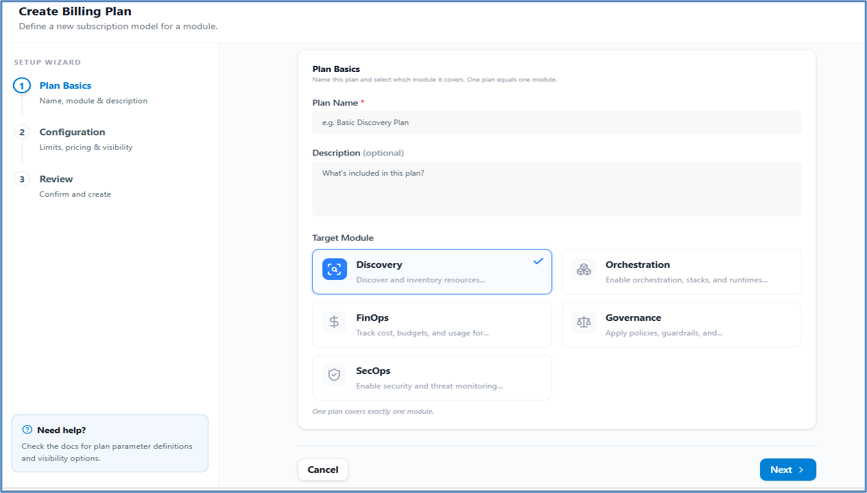
Click Add Billing Plan.
-
Enter the Billing Plan Name.
-
Write a Plan Description.
-
Select the Billing Module.
-
Click Next.
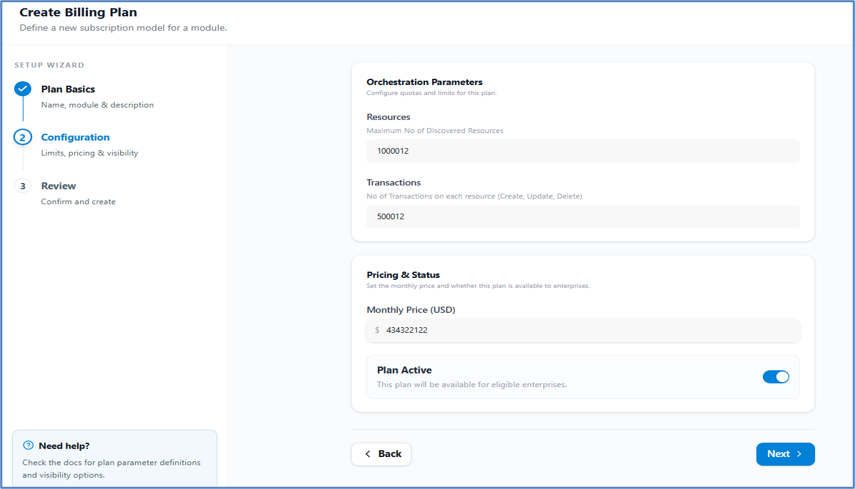
On the next page, configure quotas and limits:
- Add Maximum number of Discovered Resource limits.
- Add Number of Transactions limit per resource (Create, Update, Delete).
- Set the Monthly Price.
- Set Plan Status: Active or Inactive.
- Click Next.
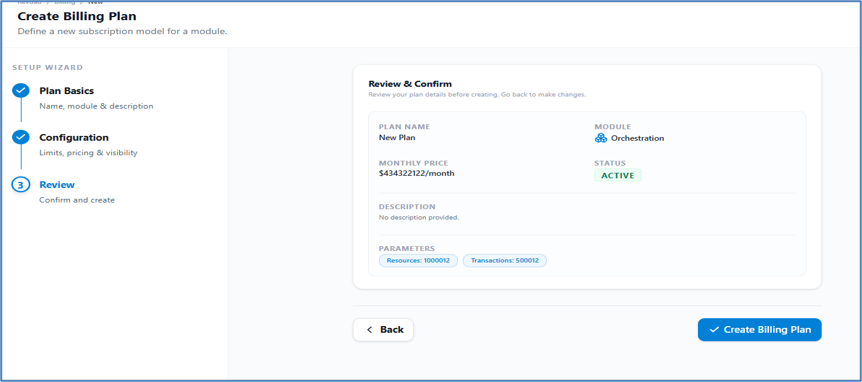
Review your plan details on the summary page. Go back to make changes or click Create Billing Plan to finalize. Your plan will appear in the Billing Plan Table.
8.2 Billing Requests
-
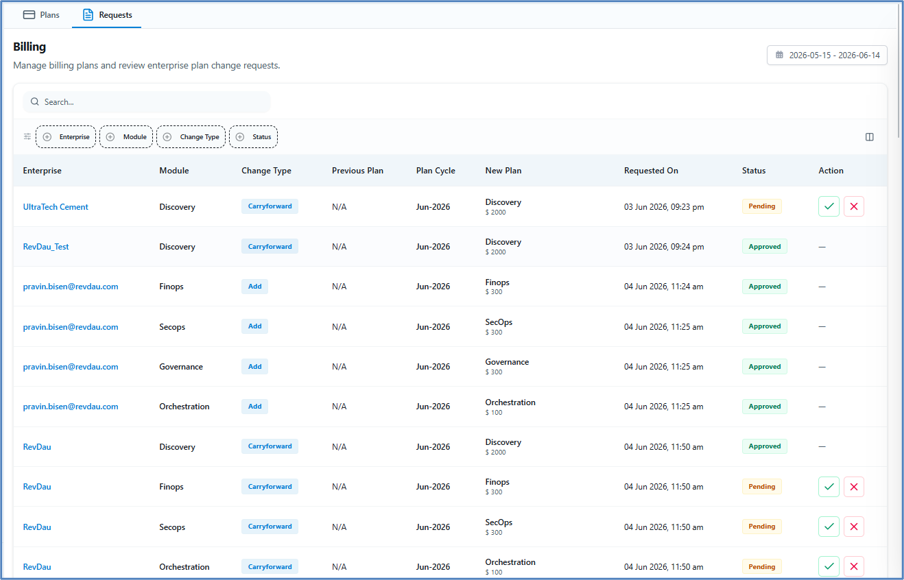
View enterprise billing requests.
-
Approve or reject requests by clicking the action column.
-
Track the full billing lifecycle.