
MSP User Guide
Enterprise Management
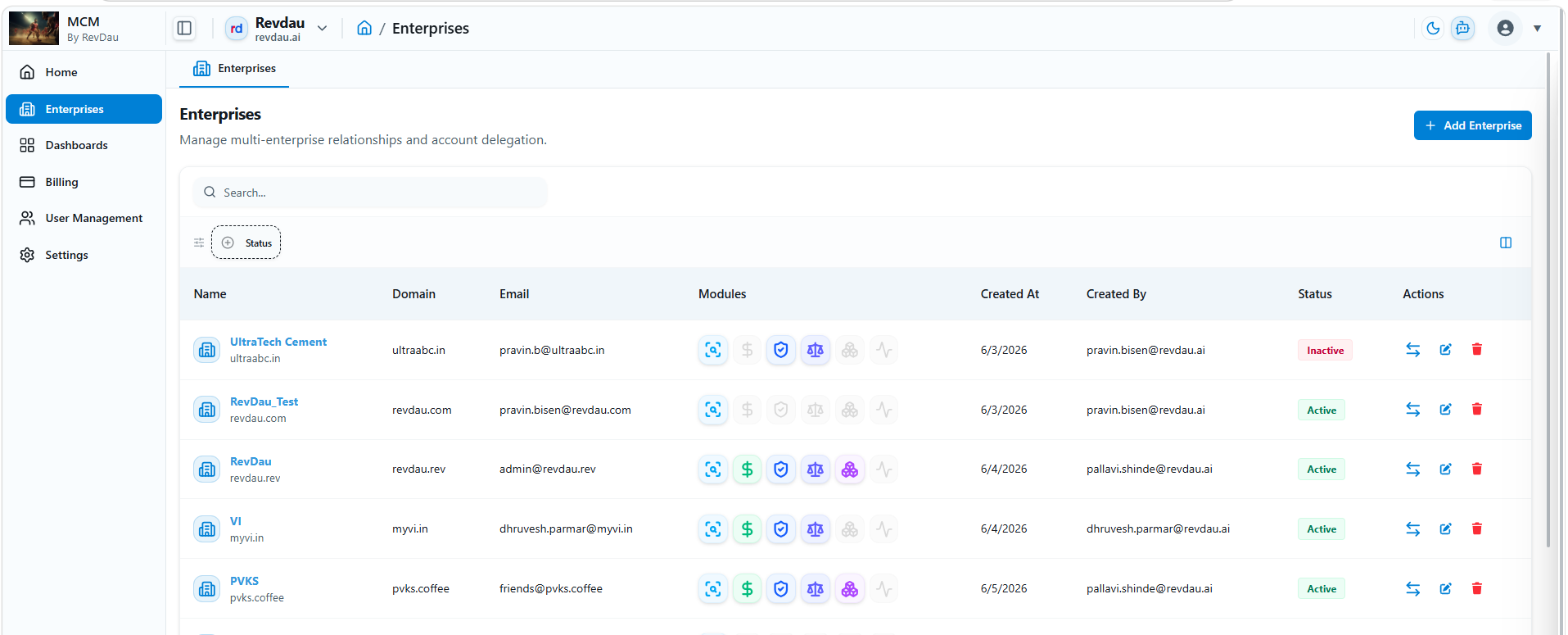
Manage multi‑enterprise relationships and accounts. The Enterprise overview table displays all enterprise records with the following details:
| Attribute | Details |
|---|---|
| Name | Enterprise display name |
| Domain | Enterprise domain name |
| Admin contact email | |
| Modules | Modules assigned to enterprise |
| Created At | Creation timestamp |
| Created By | Creator identity |
| Status | Active / Inactive |
Note: A Billing Plan must be created before an Enterprise can be added.
Available actions per enterprise record
- Edit – Modify enterprise details
- Delete – Remove enterprise record
- Switch – Switch context to that enterprise
- + Add Enterprise – Create a new enterprise
Process to Add a New Enterprise
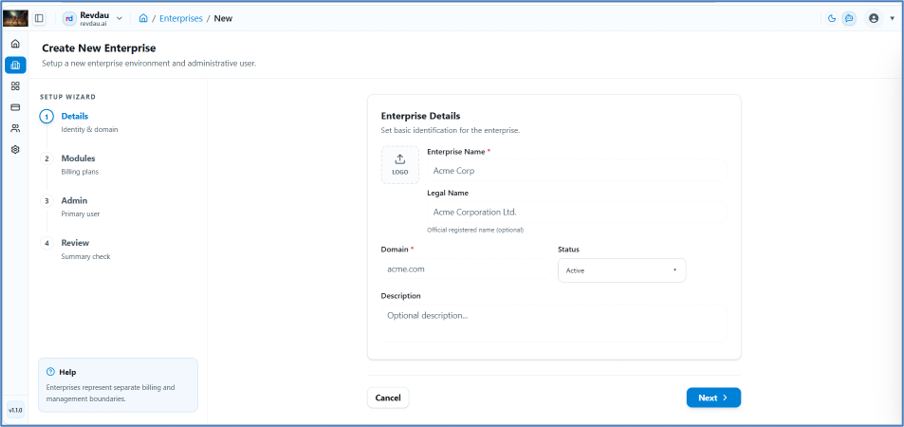
Step 1 – Identity & Domain
- Click Add Enterprise.
- Enter Enterprise Name.
- Enter Legal Name.
- Enter Domain Name.
- Set Status.
- Enter Description.
- Click Next.
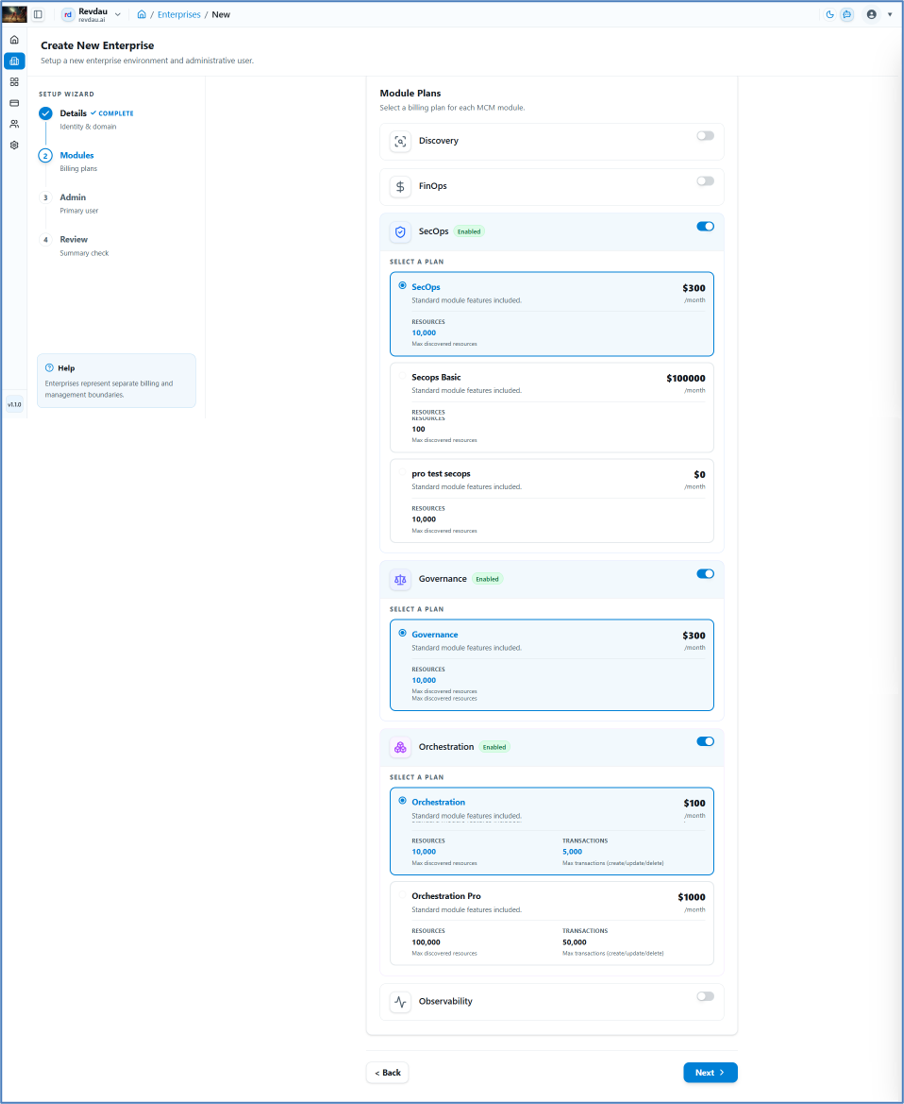
Step 2 – Module Selection
- Select modules as per enterprise requirements.
- Click Next.
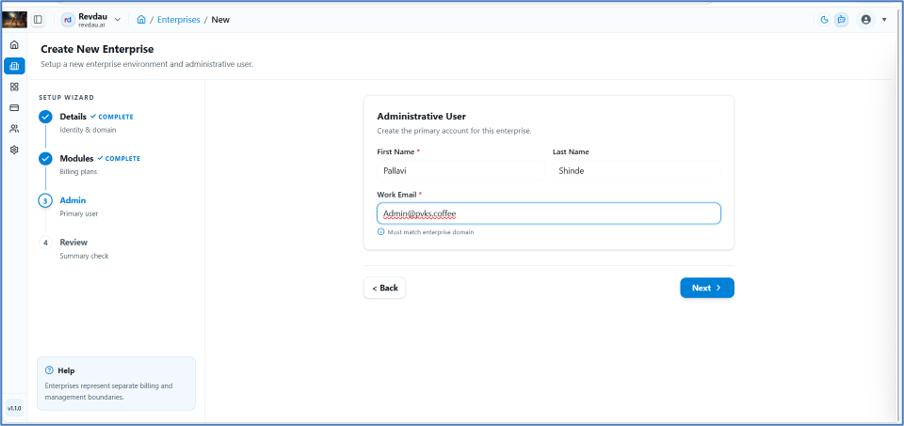
Step 3 – Enterprise Admin Details
- Enter First Name of the Admin User.
- Enter Last Name.
- Enter Work Email of the Enterprise Admin.
- Click Next.
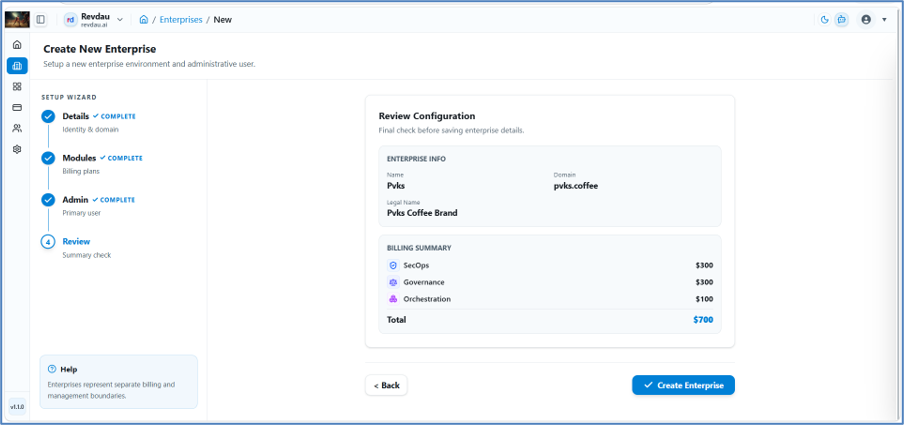
Step 4 – Summary & Confirm
- Review the full configuration.
- Click Create Enterprise to finalize.
The new enterprise record will appear in the Enterprise table.