
AI provider setup
Connect Ollama, OpenAI, Anthropic or Groq, test each connection and choose which models people can use in the assistant.
The AI assistant needs a language model to answer. An administrator connects one or more AI providers once for the whole platform, and everyone's assistant uses them. Until a provider is connected, the assistant shows No AI provider configured and sending is disabled.
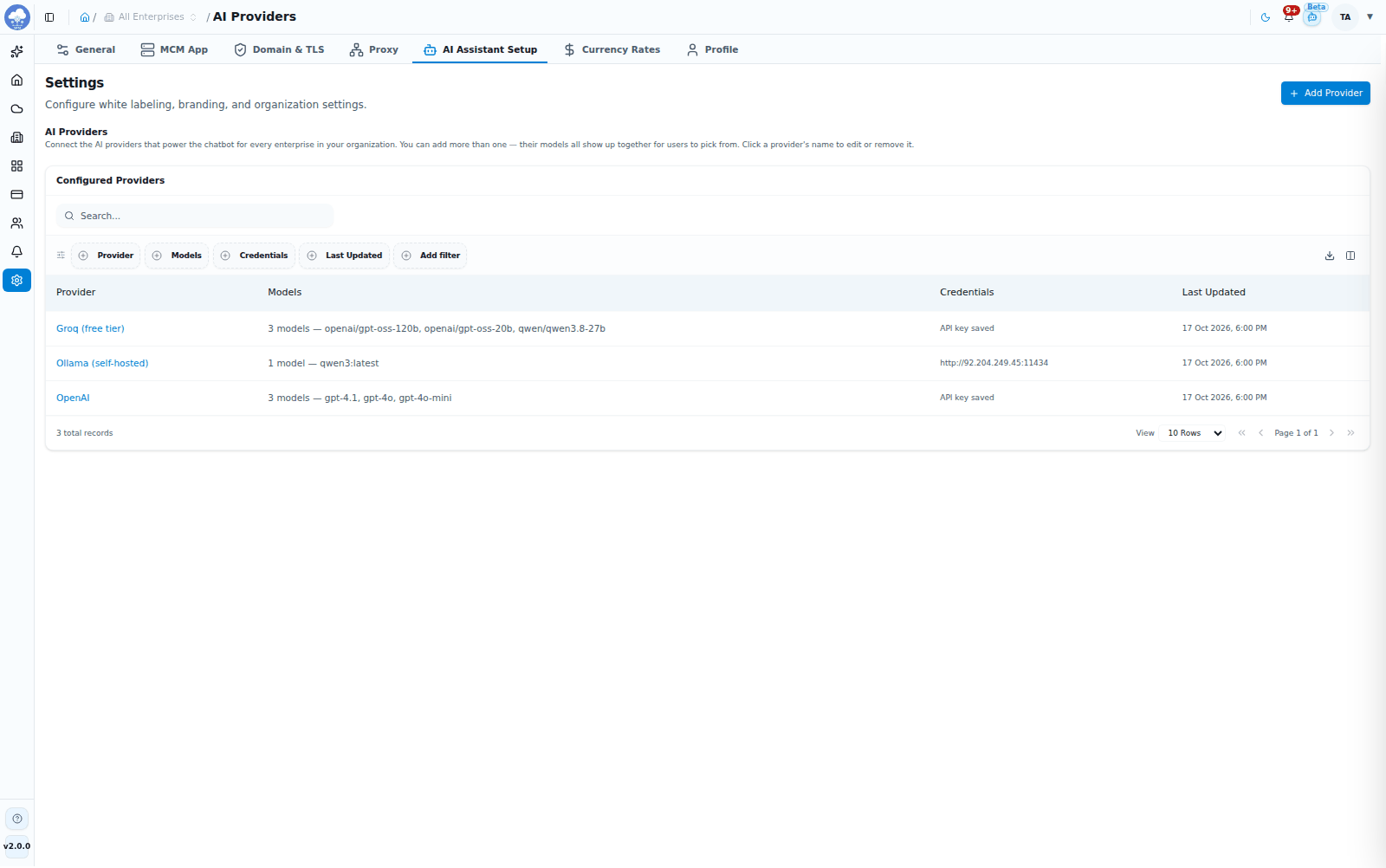
Configured AI providers and their models.
Who can set it up
Open Settings → AI Assistant Setup. You need access to MSP Domain Configuration: read access to see the providers, and update access to add, change, test or remove one. By default that means MSP Owners and MSP Admins. Other roles see a no-permission message, and the same restriction applies to the underlying service, so providers cannot be read or changed any other way. See Settings and Roles and access.
Supported providers
| Provider | What you need |
|---|---|
 Ollama (self-hosted) Ollama (self-hosted) | The address of your own Ollama server; no API key |
 OpenAI OpenAI | An OpenAI API key |
 Anthropic (Claude) Anthropic (Claude) | An Anthropic API key |
| Groq (free tier) | A Groq API key; Groq offers a free tier |
You can connect more than one provider. Each provider can be added once; to change one, edit it.
Connect a provider
- Open Settings → AI Assistant Setup and click Add Provider.
- Choose the Provider.
- Enter the Base URL (Ollama only, for example
http://localhost:11434) or the API Key (OpenAI, Anthropic and Groq). - Click Test Connection. MCM contacts the provider without saving anything and lists the models it offers.
- Under Models, click the models you want people to be able to choose. They are added to the list, and you can remove one with its x. At least one model is required.
- Click Add Provider.
If a required detail is missing, for example the Ollama address or an API key, MCM tells you before saving.
Manage providers
The AI Assistant Setup table lists each provider with its Models, whether credentials are saved, and when it was last updated.
- Edit: click a provider's name to change its connection details and models. Leave API Key blank to keep the saved key; Test Connection works with the saved key too.
- Remove: open the provider and choose Remove Provider, then confirm. Chats using that provider's models stop working until it is connected again.
How people use the models
In the assistant, the model picker lists every connected provider's models, grouped by provider. A model offered by two providers is listed once. See AI assistant.
Keeping keys safe
- API keys and passwords are stored encrypted and are never shown again. The screen only tells you whether a key is saved.
- MCM only connects to provider addresses that use
httporhttpsand that can be resolved. Addresses that point to link-local or cloud metadata services are refused. Addresses on your own network, such as a self-hosted Ollama server, are fine. - With a self-hosted Ollama server, the assistant's requests go to your own server. With OpenAI, Anthropic or Groq they go to that provider, so choose providers in line with your organization's policies.